

Agents in your app
Build AI assistants into your own product — a support bot for your customers, an analyst for your team — on your own model account, acting with the permissions of the person using them.
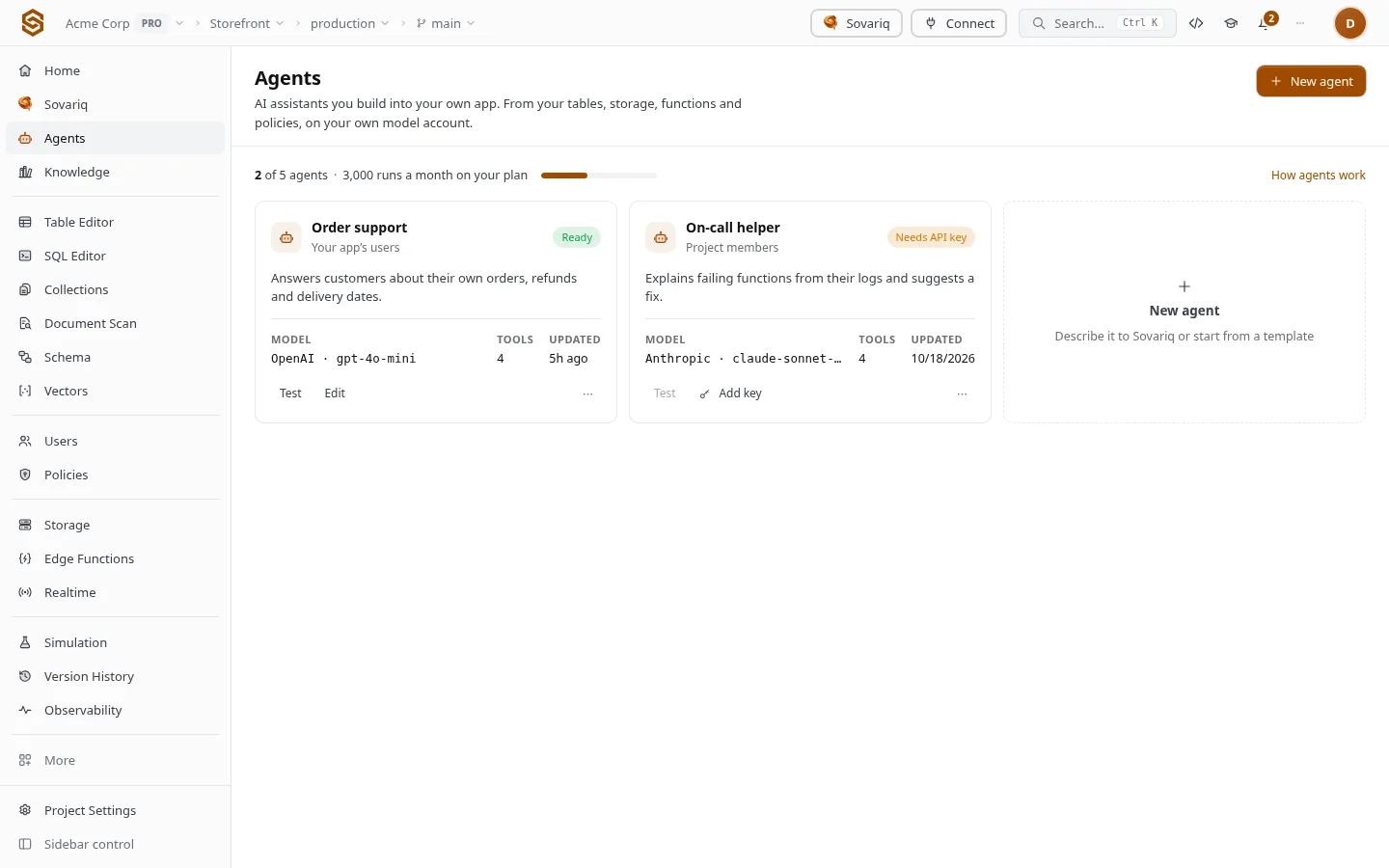
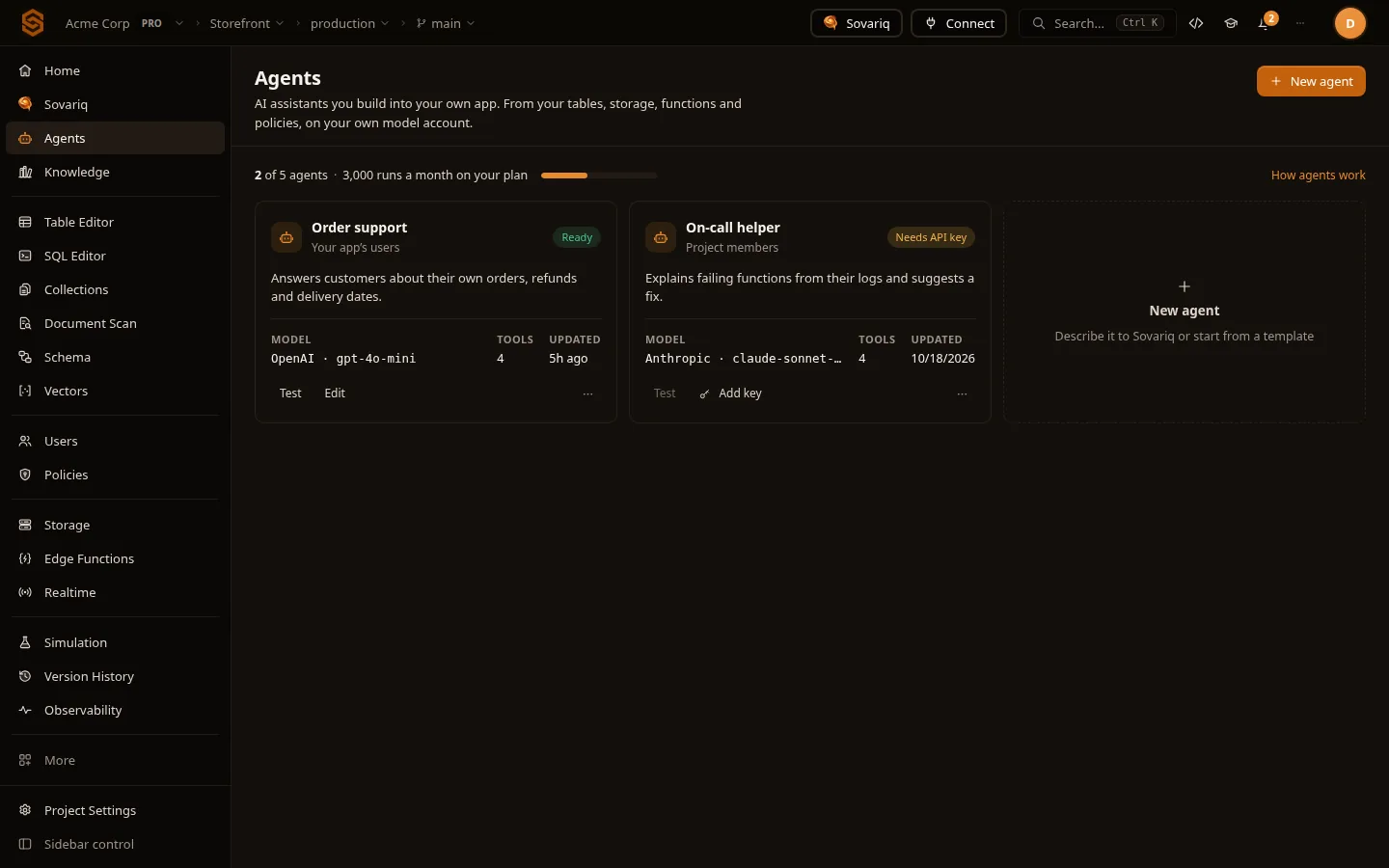
Agents are assistants you build into your own product. They run on your own model provider account (OpenAI, Anthropic, Google or any OpenAI-compatible API) and act with the permissions of the person using them, so row-level security decides what each one sees.
Where is my order 1042?
query_sqlselect status, shipped_at from orders where id = 1042, as this customerDonesearch_knowledge_basedelivery times [1]DoneOrder 1042 shipped yesterday and usually arrives in 2–3 working days [1].
Build an agent
Open Agents
Describe what you want and Sovariq drafts the name, instructions and tools, or start from a template or blank. You review everything before saving.
Model and key
Pick a provider, paste your API key (encrypted, never shown again) and choose a model. You pay the provider directly.
Data access
No direct SQL, Read any table (list, describe,
SELECT) or Read and write (alsoINSERT/UPDATE/DELETE, asking before each change). Queries run as the signed-in person.Knowledge
Pick knowledge bases (Knowledge bases (RAG)): the agent searches them and answers with numbered citations like [1], or says it doesn't know. It searches as the person using it, so each user only gets passages they may read.
Tools and playbooks
Add tools: one parameterised
SELECT, oneINSERT/UPDATE/DELETE(with aWHERE), a call to a public HTTPS API, or one of your edge functions. Playbooks (up to 5) are step-by-step rules for specific situations.Who can use it
Your team, or your app's signed-in users. Set Runs per user per day for app users.
| Tool kind | Example | Safety |
|---|---|---|
| SQL query | select status, amount from refunds where order_id = {{order_id}} | Values bound as literals; runs as the user |
| SQL change | update tickets set status = {{status}} where id = {{id}} | Needs a WHERE; asks before running |
| HTTP API | GET https://api.carrier.example/track/{{code}} | Fixed host; private networks and redirects refused |
| Edge function | refund-order | One of your deployed functions (Functions) |
Run it from your app
Call the agent with the signed-in user's session; the SDK streams the reply as it is written. Pass the threadId from a reply to continue that conversation: each user only sees their own threads, and every turn uses the agent's current instructions and limits.
const reply = await sov.agents.run(agentId, {
  message: 'Where is my order 1042?',
  onEvent: (e) => { if (e.type === 'text_delta') render(e.text) },
})
await sov.agents.run(agentId, { message: 'And the invoice?', threadId: reply.threadId })
const threads = await sov.agents.threads(agentId) // this user's conversationsLimits
Runs per user per day (default 50) caps how many runs each signed-in person can start each day. Past the cap the endpoint answers 429 until the next day (UTC). This stops one user from spending your model account and your plan's monthly agent runs for everyone else. Set it to 0 for no per-user cap; the monthly limit still applies. Agents for app users never get tools that delete data (Sovariq safety, approvals and guard rails).
| Free | Pro | Ultra | Team | Enterprise | |
|---|---|---|---|---|---|
| Project agents | 1 | 1 | 5 | 20 | 100 |
| Project agent runs per month | 20 | 300 | 2,000 | 10,000 | 50,000 |
| Knowledge bases per project (RAG) | 1 | 5 | 20 | 50 | 500 |
Coming from Firebase or Supabase?
| Platform | What this is called there |
|---|---|
| Firebase | Firebase AI Logic |
| Supabase | Supabase AI |
| Sovaria | Agents in your app |
Moving an existing app? Migrate from Supabase or Firebase imports users (with their passwords), data, files and rules.