

General settings
Your project’s name, IDs and region, the connection file for apps, pausing, resuming or restarting the database, and deleting the project safely.
Project settings › General is the identity card of your project: the names and IDs your apps and tools use to reach it, where it runs, and the switches that start, stop or remove it. Everything else under Settings changes how the project behaves; this page says what it is.
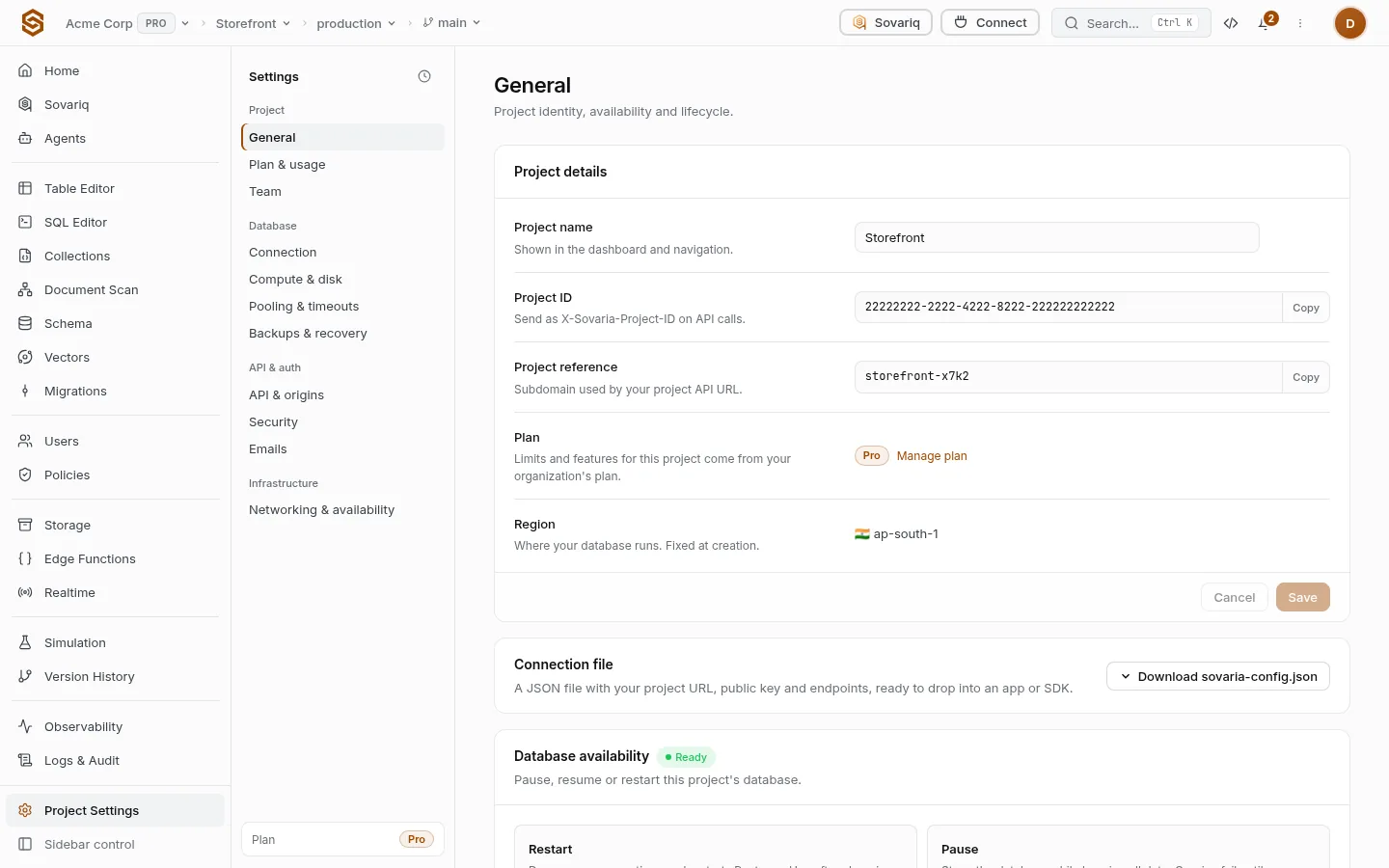
Project details
| Setting | What it is | Can you change it? |
|---|---|---|
| Project name | The label shown in the console, the project switcher and emails. | Yes, any time. Nothing in your apps depends on it. |
| Project ID | A UUID that identifies the project to the console API and the CLI. Send it as X-Sovaria-Project-ID when you call the API with a team token. | No. |
| Project reference | The short name in your project URL: https://<ref>.sovaria.in. Apps use this URL with the anon key, so they never need the project ID. | No. |
| Plan | The organization’s plan, which sets every limit — see Plan and usage. | From Billing. |
| Region | Where the database and files live (for example Mumbai). Pick the one closest to your users. | No. To move, create a project in the new region and migrate. |
Connection file
Download gives a JSON file with everything an app needs to connect: the project URL, the anon (public) key and every service endpoint. Drop it into a web app’s config, ship it with a mobile app, or pass it to the JavaScript SDK. It holds no secret — the anon key is public by design, and what it may do is decided by your rules.
import config from './sovaria.json'
import { createClientFromProjectConfig } from '@sovaria/sdk'

export const sovaria = createClientFromProjectConfig(config, { publishableKey: config.anon_key })Database availability
| Action | What happens | When to use it |
|---|---|---|
| Pause | The database stops. Requests that need it fail until you resume; auth, storage and functions keep working. | A project you aren’t using, to save compute. |
| Resume | The database starts again in a few seconds. | After a pause — yours or the automatic Free-plan idle pause. |
| Restart | The database stops and starts. Open connections are dropped and reconnect. | After a heavy migration, or when connections are stuck. |
sov governance db-pause  <org-id> <project-id>
sov governance db-resume <org-id> <project-id>Danger zone: delete the project
Take a backup
Settings › Backups & recovery › download the latest daily backup, and export files you need from Storage.
Point your apps elsewhere
Apps using this project stop working the moment it is deleted.
Delete
Delete project asks you to type the project name. The database, files, functions, keys and logs are removed at once.
Common mistakes
- Putting the project ID in a mobile app. Apps use the project URL and the anon key; the ID is for team tools.
- Choosing a region far from users. Every request crosses the distance twice; pick the region first, it can’t change.
- Pausing a production database to “save money” — your app returns errors until someone resumes it.