

Connect your app
Use your project URL and keys from browsers, mobile apps, servers and scripts — with sessions, environment variables and framework setup.
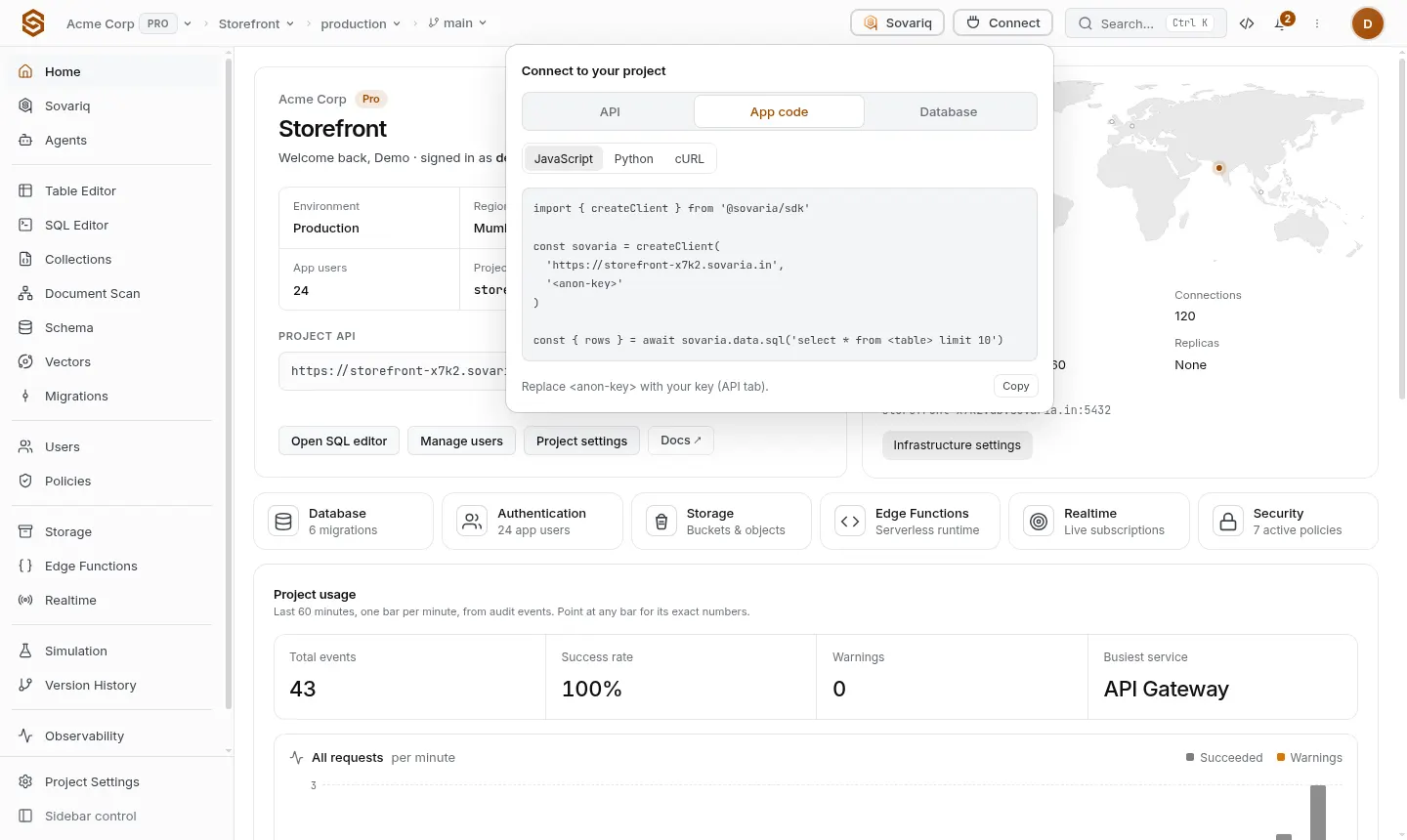
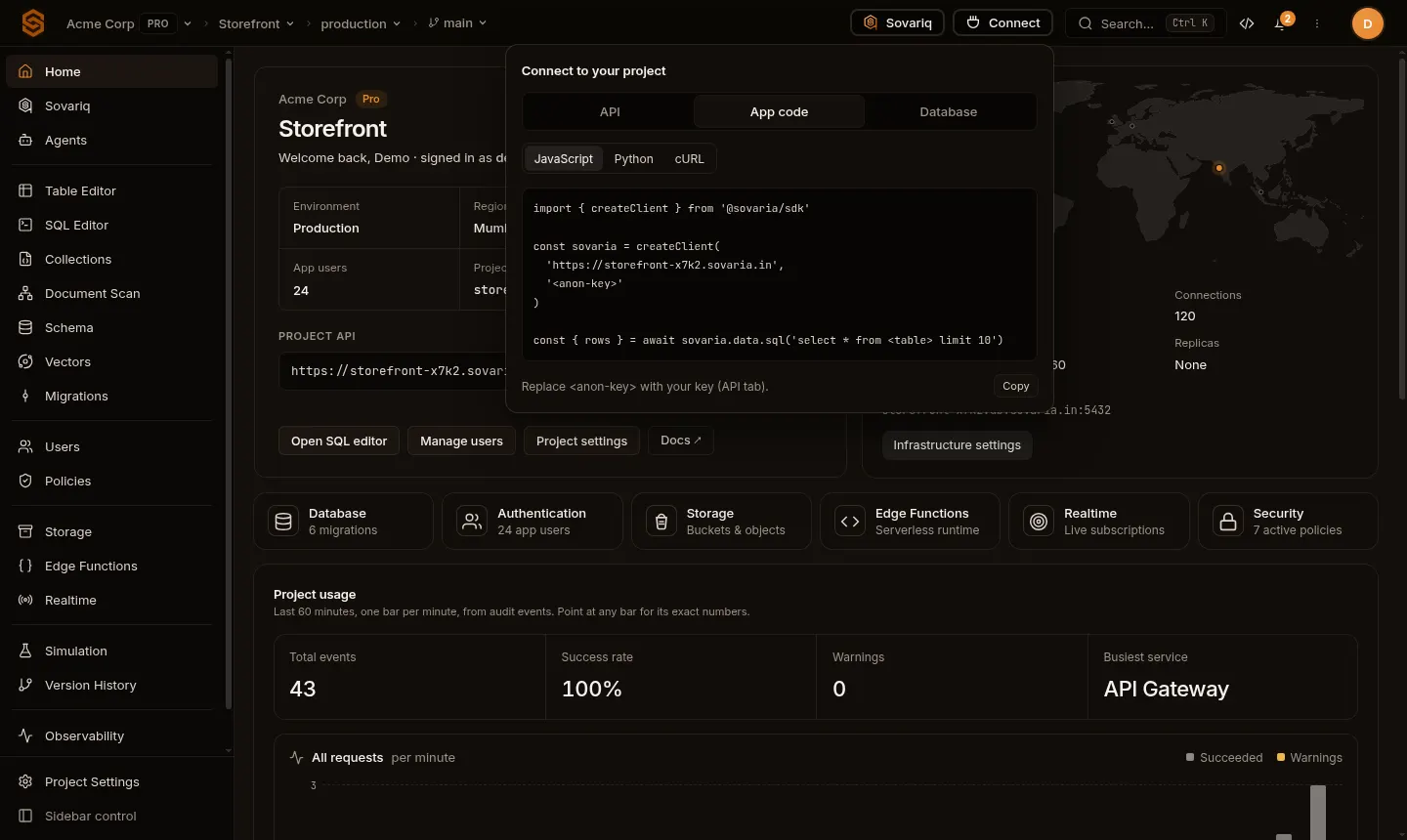
An app needs two values to talk to Sovaria: the project URL and a key. Both are in the console under Connect (top bar). The SDKs take them as two arguments; everything else — which project, which environment, refreshing sessions — is handled for you.
Which key goes where
| Where your code runs | Key | Why |
|---|---|---|
| Browser, mobile or desktop app | Anon key | Public by design. Requests run as an anonymous visitor until a user signs in, then as that user. Your policies decide what both can do. |
| Your backend, cron jobs, CI | Service role key (or a custom key) | Full access, bypasses policies and row-level security. Keep it in a secret store; never ship it to clients. |
| One integration (e.g. a partner sync) | Custom key with a role and expiry | Least privilege, easy to revoke without touching anything else. |
Browser apps (React, Vue, Svelte, plain JS)
import { createClient } from '@sovaria/sdk'

// Vite: put these in .env as VITE_SOVARIA_URL / VITE_SOVARIA_ANON_KEY
export const sovaria = createClient(
  import.meta.env.VITE_SOVARIA_URL,
  import.meta.env.VITE_SOVARIA_ANON_KEY,
)
After signUp / signIn, the client sends the user's session with every call and refreshes it before it expires. auth.logout() revokes the session on the server; the client then falls back to the anon key.
Keeping users signed in across reloads
Pass onTokenRefresh to store the latest tokens, and restore them on start-up with setAccessToken / setRefreshToken. Store them where your app already keeps credentials (for web apps, memory plus a refresh token in secure storage is the safest default).
import { SovariaSDK } from '@sovaria/sdk'

const sovaria = SovariaSDK.fromPortalConfig({ url: URL, publishableKey: ANON_KEY })
const saved = loadTokens() // your storage
if (saved) sovaria.setAccessToken(saved.access_token, { expiresIn: saved.expires_in }).setRefreshToken(saved.refresh_token)Next.js
Use the anon key in client components and the service role key only in server code (route handlers, server actions). Variables prefixed NEXT_PUBLIC_ are bundled into the browser, so never give the service key that prefix.
NEXT_PUBLIC_SOVARIA_URL=https://<project-ref>.sovaria.in
NEXT_PUBLIC_SOVARIA_ANON_KEY=svr_...
SOVARIA_SERVICE_ROLE_KEY=svr_... # server onlyNode.js servers and scripts
import { createClient } from '@sovaria/sdk'

const sovaria = createClient(process.env.SOVARIA_URL, process.env.SOVARIA_SERVICE_ROLE_KEY)

const { rows } = await sovaria.data.sql(
  'select id, email from customers where created_at > now() - interval \'1 day\''
)
Node 18 or newer is required (the SDK uses the built-in fetch).
Python
from sovaria import create_client

async with create_client(SOVARIA_URL, SOVARIA_SERVICE_ROLE_KEY) as sovaria:
rows = (await sovaria.sql_query("select * from notes where id = $1", params=[42]))["rows"]Plain HTTP
Send the key as apikey: <key> or Authorization: Bearer <key> to your project URL. After a user signs in, send their access_token as Authorization: Bearer … instead. The project is taken from the URL, so no other headers are needed.
curl https://<project-ref>.sovaria.in/api/v1/sql/query \
  -H 'apikey: <anon-key>' \
  -H 'Content-Type: application/json' \
-d '{"sql": "select now()"}'Environment variables
| Variable | Value | Used by |
|---|---|---|
SOVARIA_URL | Project URL | SovariaSDK.fromEnv(), create_client() from env, the CLI |
SOVARIA_ANON_KEY | Anon key | Client apps (also VITE_ / NEXT_PUBLIC_ prefixed) |
SOVARIA_SERVICE_ROLE_KEY | Service role key | Servers only |
SOVARIA_ORG_ID, SOVARIA_PROJECT_ID, SOVARIA_ENV_ID | Ids (optional) | Only needed when you call https://api.sovaria.in instead of your project URL |
Errors you may see
| Status | Meaning | Fix |
|---|---|---|
401 | Missing, invalid, revoked or expired key or session. | Check the key; sign the user in again. |
403 … NO_POLICY_DEFINED | No access policy or forced RLS covers this table for this caller. | Add a policy or force RLS — Row-level security and access. |
403 PLAN_LIMIT_REACHED | A plan quota is used up. | See Plans, usage and limits. |
429 | Too many requests. | Back off and retry after the Retry-After seconds; the SDK retries safe requests for you. |