

Emails: SMTP, templates and limits
Send auth emails through your own SMTP provider or Sovaria’s sender, set up SPF and DKIM, customise every template with variables, and understand the shared sender’s limits.
Project settings › Emails controls the emails your app users receive: sign-up confirmation, magic links and invites, password resets, email changes and new-sign-in alerts.
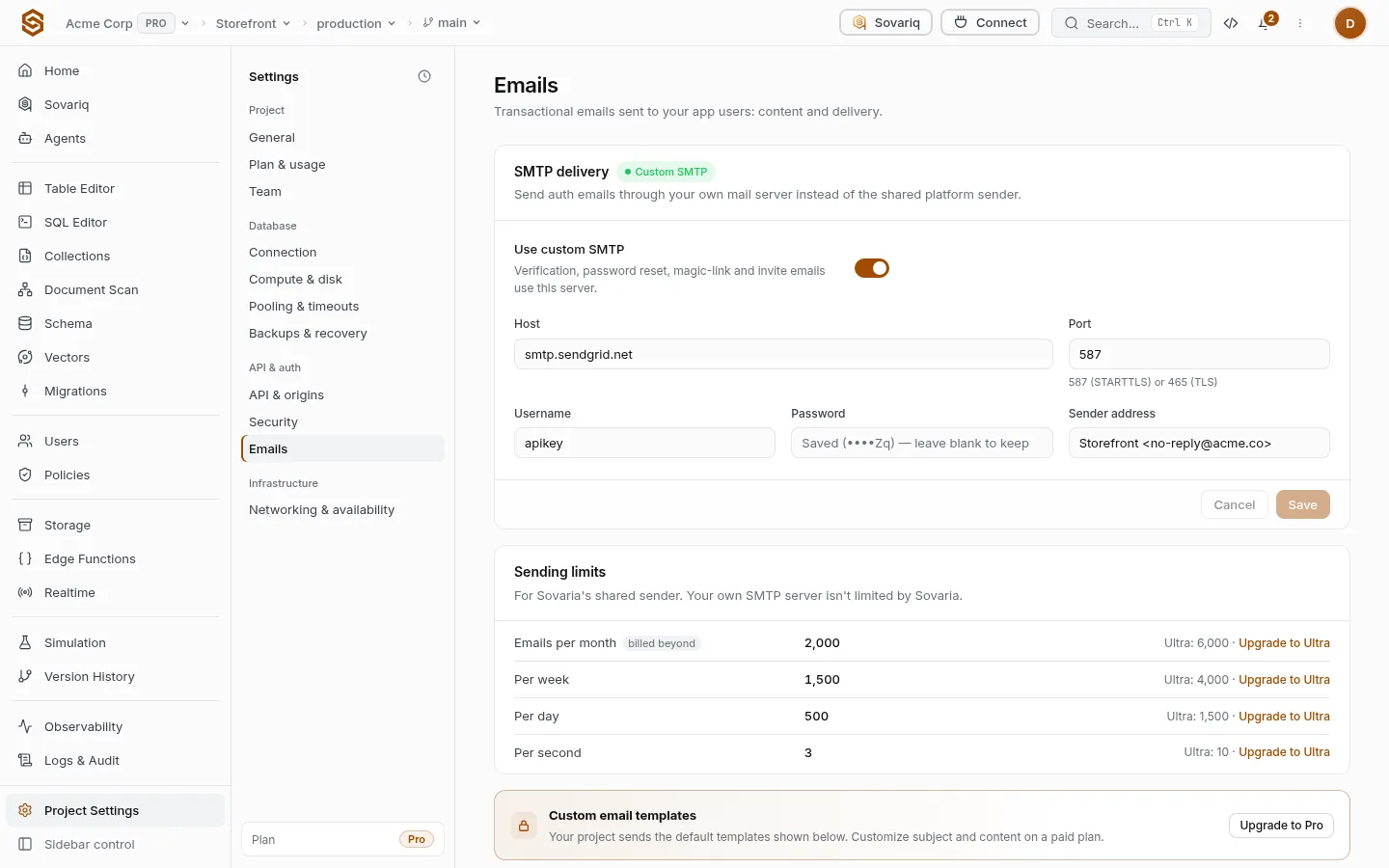
SMTP delivery
Turn on Use custom SMTP to send through your own provider. Presets fill the host and port for common providers — review and save. With custom SMTP, Sovaria’s sending limits no longer apply.
| Provider | Host | Port | Username |
|---|---|---|---|
| Amazon SES | email-smtp.<region>.amazonaws.com | 587 | SMTP credentials from the SES console |
| Postmark | smtp.postmarkapp.com | 587 | Server API token (also the password) |
| Resend | smtp.resend.com | 465 or 587 | resend (password: API key) |
| Mailgun | smtp.mailgun.org | 587 | Domain SMTP login |
| Field | Value |
|---|---|
| Host / Port | 587 uses STARTTLS, 465 uses TLS from the start. |
| Username / Password | From your provider. The password is stored encrypted and never shown again. |
| Sender address / name | The From line, e.g. Acme <no-reply@acme.com>. The domain must be verified at your provider. |
Verify your domain at the provider
They give you SPF and DKIM records (and often a return-path CNAME).
Add the records at your DNS host
Wait until the provider shows the domain as verified.
Enter the SMTP settings here and save
Send yourself a password reset to check delivery.
Templates
Pick a template, edit its subject, HTML body and plain-text body, and save. Use {{ variable }} placeholders for the dynamic parts — each template lists the variables it receives, such as the action link, the one-time code and the project name. Reset to default restores Sovaria’s version. Custom templates are on paid plans; Free sends the defaults. More in Auth emails.
<h1>Reset your {{ project_name }} password</h1>
<p>Someone asked to reset the password for {{ email }}.</p>
<p><a href="{{ reset_url }}">Choose a new password</a> — the link works once, for {{ ttl_minutes }} minutes.</p>
<p>Didn't ask? You can ignore this email.</p>Sending limits
For Sovaria’s shared sender only. Authentication also limits emails per address and per IP — see Authentication settings reference.
| Free | Pro | Ultra | Team | Enterprise | |
|---|---|---|---|---|---|
| Monthly emails from Sovaria's sender (own SMTP is unlimited) | 200 | 2,000 | 6,000 | 30,000 | 150,000 |
| Emails per week from Sovaria's sender | 200 | 1,500 | 4,000 | 20,000 | 100,000 |
| Emails per day from Sovaria's sender | 50 | 500 | 1,500 | 8,000 | 40,000 |
| Emails per second from Sovaria's sender (own SMTP isn't limited) | 1 | 3 | 10 | 25 | 50 |