

Pooling and timeouts
Choose how PgBouncer shares database connections (transaction, session or statement mode), size the pool, and set how long one SQL statement may run before it is cancelled.
Postgres can only keep a few hundred connections open; a serverless app can open thousands. The pooler (PgBouncer) sits in front of the database and shares a small set of real connections among many clients. Both settings on this page are applied by the database, so they hold for every client — the API, the SQL editor, functions and your own servers.
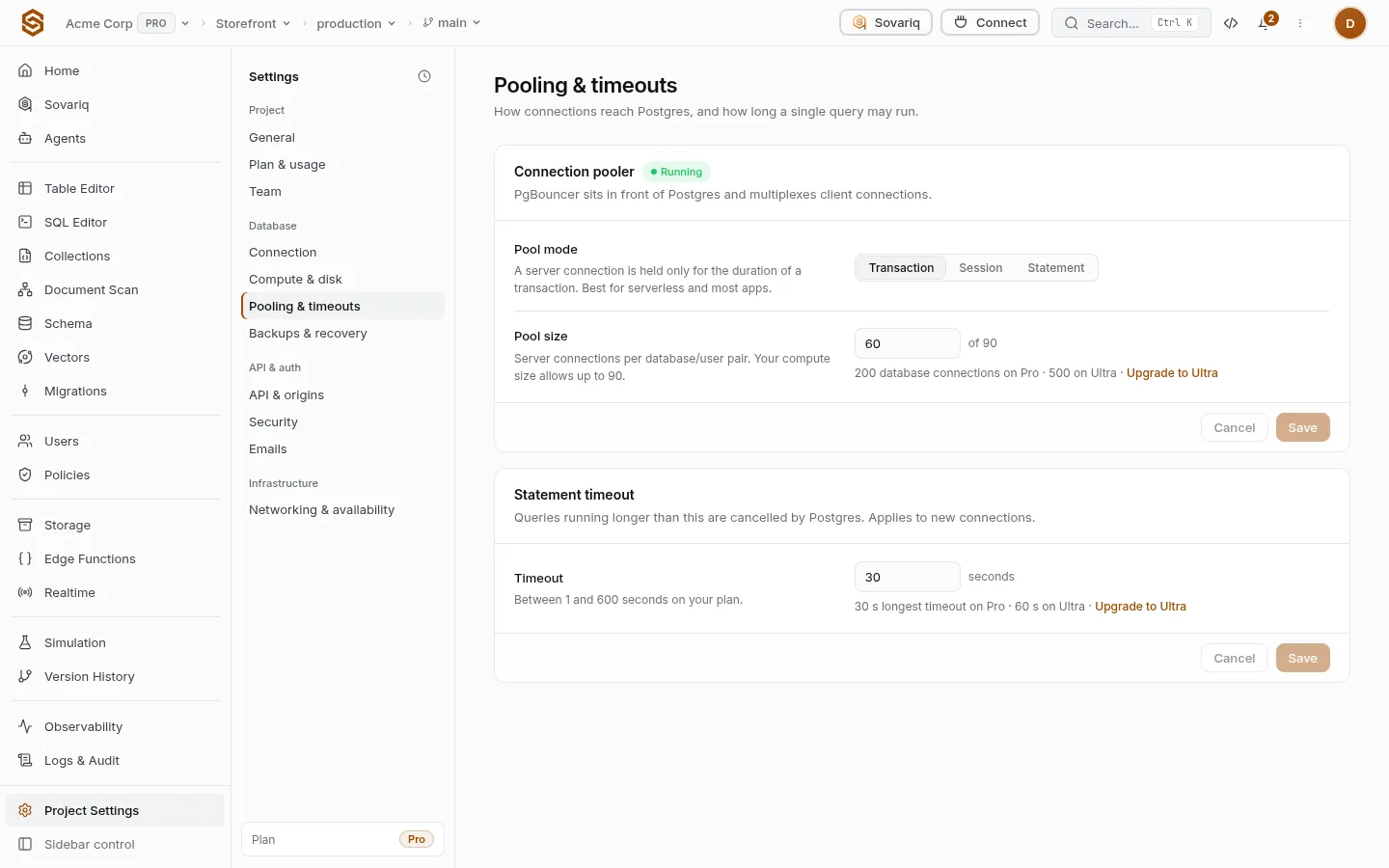
Pool mode
| Mode | Behaviour | Choose it when |
|---|---|---|
| Transaction | A server connection is lent for one transaction, then returned. | Almost always: serverless, functions, web apps. Session features (LISTEN, session SET, prepared statements kept across transactions) don’t work. |
| Session | A client keeps its server connection until it disconnects. | You need session features through the pooler. You run out of connections sooner. |
| Statement | Connections return after every statement; multi-statement transactions are refused. | Rarely — very simple, high-volume reads. |
Saving restarts PgBouncer; open pooled connections reconnect. On Free the pooler is shared and these settings are fixed.
Pool size
How many real server connections each database/user pair may use, up to the maximum your compute size allows (shown next to the field). More connections let more queries run at once but use more memory. Leave the default unless clients wait for a connection (no more connections allowed or slow first queries).
Statement timeout
A query running longer than this is cancelled with canceling statement due to statement timeout. It applies to new connections; empty uses the server default. Keep it short for user-facing traffic — a slow query is usually a missing index — and give long jobs their own longer timeout, up to your plan’s maximum.
begin;
set local statement_timeout = '45s';   -- only for this transaction, up to the plan maximum
refresh materialized view sales_by_day;
commit;| Free | Pro | Ultra | Team | Enterprise | |
|---|---|---|---|---|---|
| Default SQL statement timeout (ms) | 3 s | 8 s | 15 s | 30 s | 60 s |
| Longest SQL statement timeout a client may request (ms) | 8 s | 30 s | 60 s | 120 s | 300 s |
| Rows one SQL query may return | 1,000 | 5,000 | 10,000 | 25,000 | 50,000 |
| Dedicated connection pooler | Shared | Shared | Shared | Dedicated node | Dedicated cluster |
| Concurrent database connections | 20 | 200 | 500 | 2,000 | 10,000 |
Common mistakes
- Using session mode for a serverless app: every cold start holds a connection until it times out.
- Prepared statements through transaction mode — turn them off in your driver (
prepare: falsein postgres.js,statement_cache_size=0in asyncpg). - Raising the timeout to hide a slow query instead of adding an index.