

API keys, origins and security
Your endpoints, the anon and service role keys and when to rotate them, which websites may call the API from a browser, per-IP rate limiting and the request limits of your plan.
Two pages under API & auth decide who can reach your project at all: API & origins (endpoints, keys, secrets, allowed browser origins) and Security (traffic protection and plan limits). Who can do *what* once they’re in is decided by your rules.
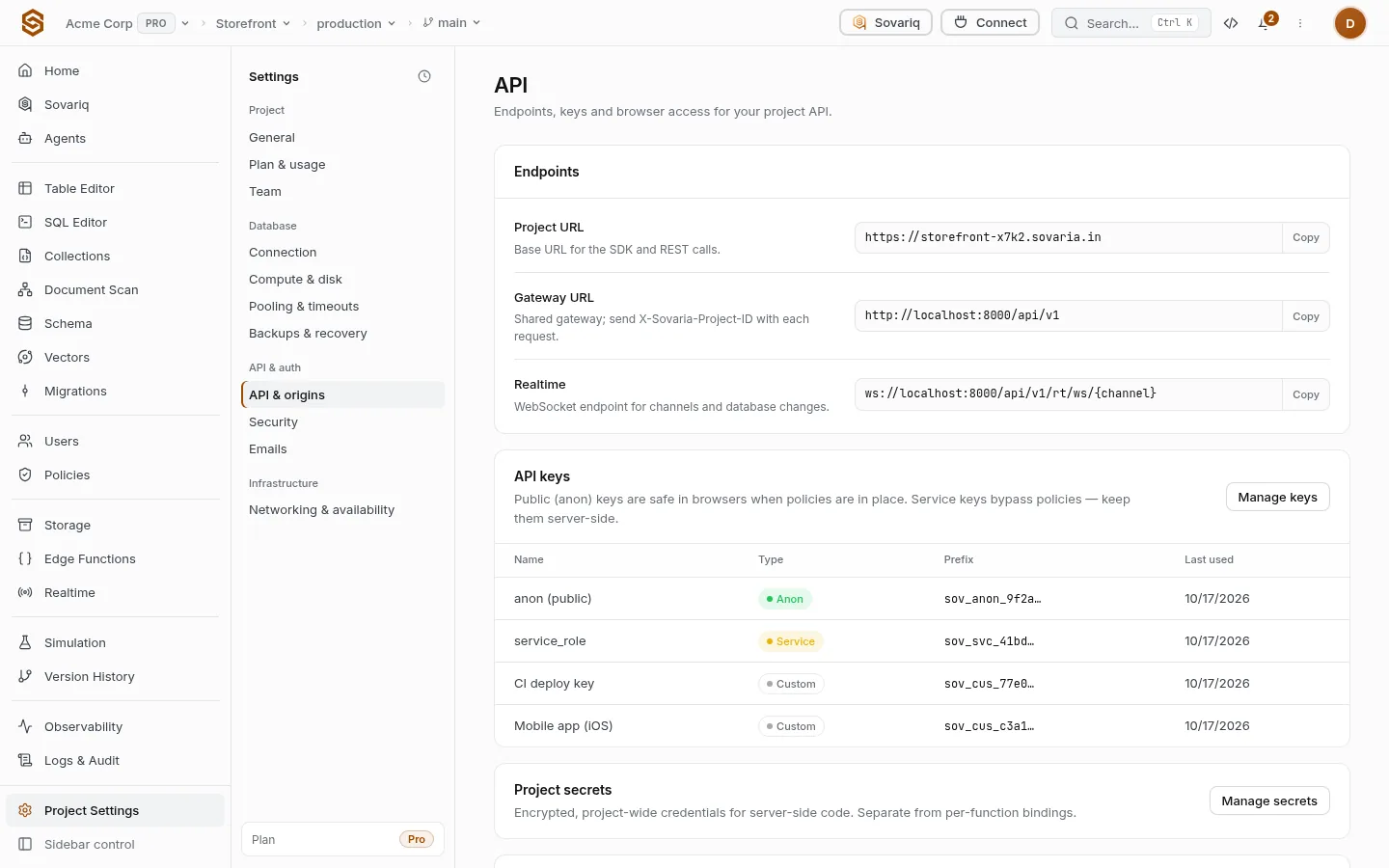
API keys
| Key | Where it goes | What it can do |
|---|---|---|
| Anon (public) | Your app, website, the config file, Git. | Whatever your rules allow visitors and signed-in users. |
| Service role | Servers and functions only, kept in secrets. | Everything, bypassing row rules. Never ship it in an app or a browser. |
| Custom keys | A partner integration or a single job. | Only the tables and actions you grant it. |
Rotate issues a new key at once and the old one stops working, so ship the new key first when you can. Every reveal and rotation is in the audit log. Details in API keys.
sov keys list
sov keys create --name "nightly-export" --role service_role
sov keys revoke <key-id>Allowed origins (CORS)
Browsers may call the API only from the origins listed, for example https://app.example.com. https://*.example.com allows every subdomain. Changes reach the gateway within 30 seconds. Mobile apps, servers and the CLI aren’t affected by CORS. More in Allowed origins (CORS) for browser apps.
Security
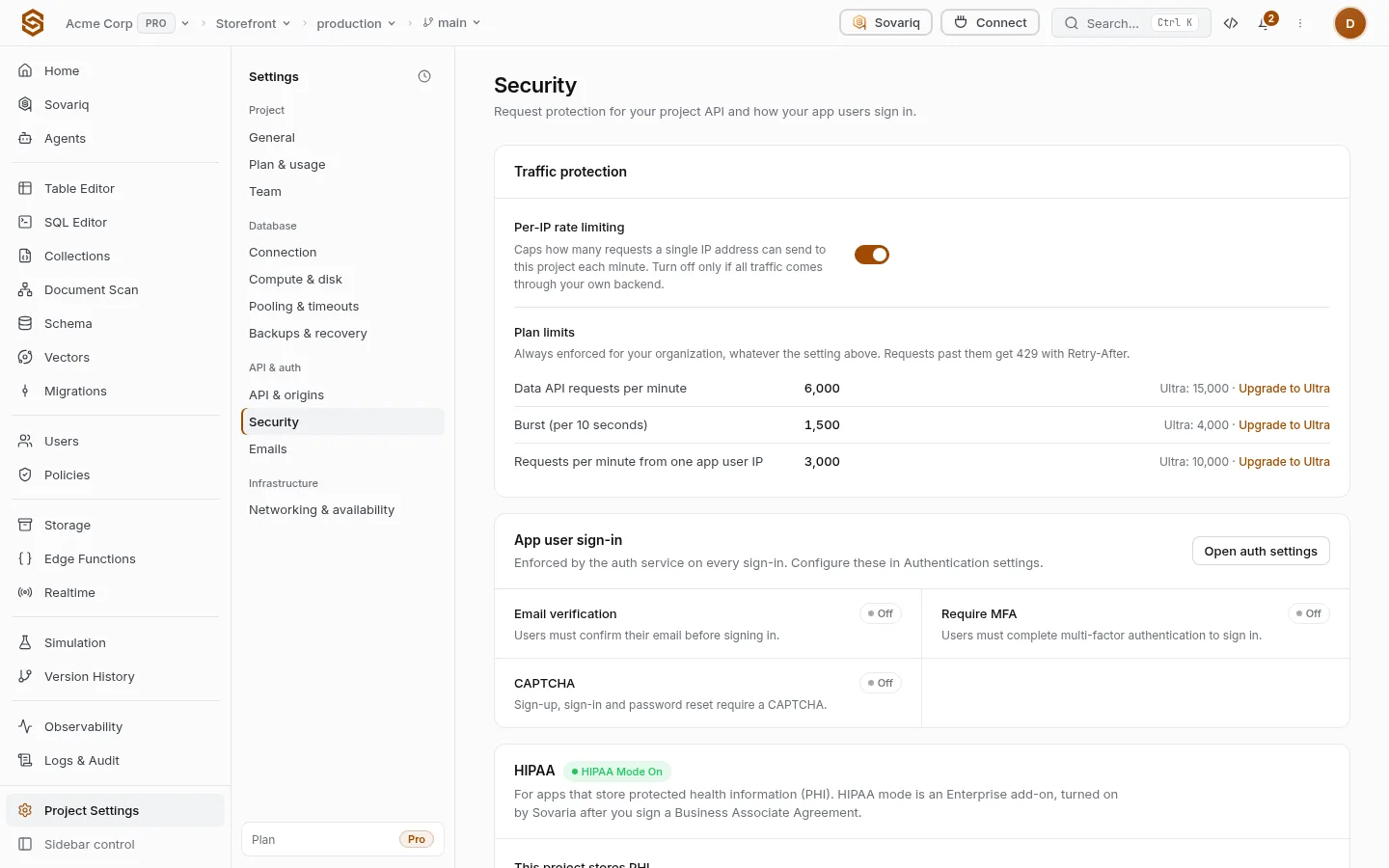
Per-IP rate limiting caps how many requests one IP address can send each minute. Turn it off only when all traffic reaches you through your own backend — then every request comes from a few IPs and would be throttled. The plan limits below always apply; past them requests get 429 with a Retry-After header.
| Free | Pro | Ultra | Team | Enterprise | |
|---|---|---|---|---|---|
| Data API requests per minute (per project) | 600 | 6,000 | 15,000 | 60,000 | 250,000 |
| Data API burst requests per 10 seconds (per project) | 150 | 1,500 | 4,000 | 15,000 | 60,000 |
| App requests per client IP per minute (default when you set none) | 600 | 3,000 | 10,000 | 20,000 | 100,000 |
Built-in protections
- Injection firewall — SQL, NoSQL and script injection patterns are blocked at the gateway on every request.
- Login lockout — accounts are locked for a while after repeated failed sign-in or MFA attempts.
- Signed webhooks — webhooks with a secret are signed with HMAC-SHA256 so receivers can verify them.
- Encrypted secrets — project secrets, SMTP passwords and keys are encrypted at rest and never returned in full.
These are always on. Sign-in protections you choose (CAPTCHA, MFA, leaked passwords) are in Authentication settings reference; proving requests come from your real app is App attestation.