

Triggers
Run a database function on every insert, update, delete or truncate: timing, row and statement triggers, NEW and OLD, conditions, turning triggers off, and how they compare to webhooks.
A trigger runs a database function automatically when rows of a table change, inside the same transaction as the change. If the function raises an error, the change is rolled back. Use triggers to keep data consistent: fill updated_at, write an audit log, keep a counter in step, or refuse an invalid change.
Trigger, webhook or function trigger?
| Runs | When | Good for | |
|---|---|---|---|
| Trigger | SQL in your database | In the transaction, before or after the change | Keeping data consistent; refusing bad writes |
| [[database-webhooks|Database webhook]] | An HTTPS call to your URL | After the change is committed, with retries | Telling another service (Zapier, n8n, your API) |
| [[function-triggers|Function trigger]] | Your Edge Function | After the change is committed, with retries | Sending email, calling APIs, slow work |
| [[realtime-database-changes|Realtime changes]] | Nothing: your app is told | After the change is committed | Updating screens live |
Triggers run for every write, including ones made over a direct Postgres connection. Webhooks and function triggers run for writes made through the API.
In the console
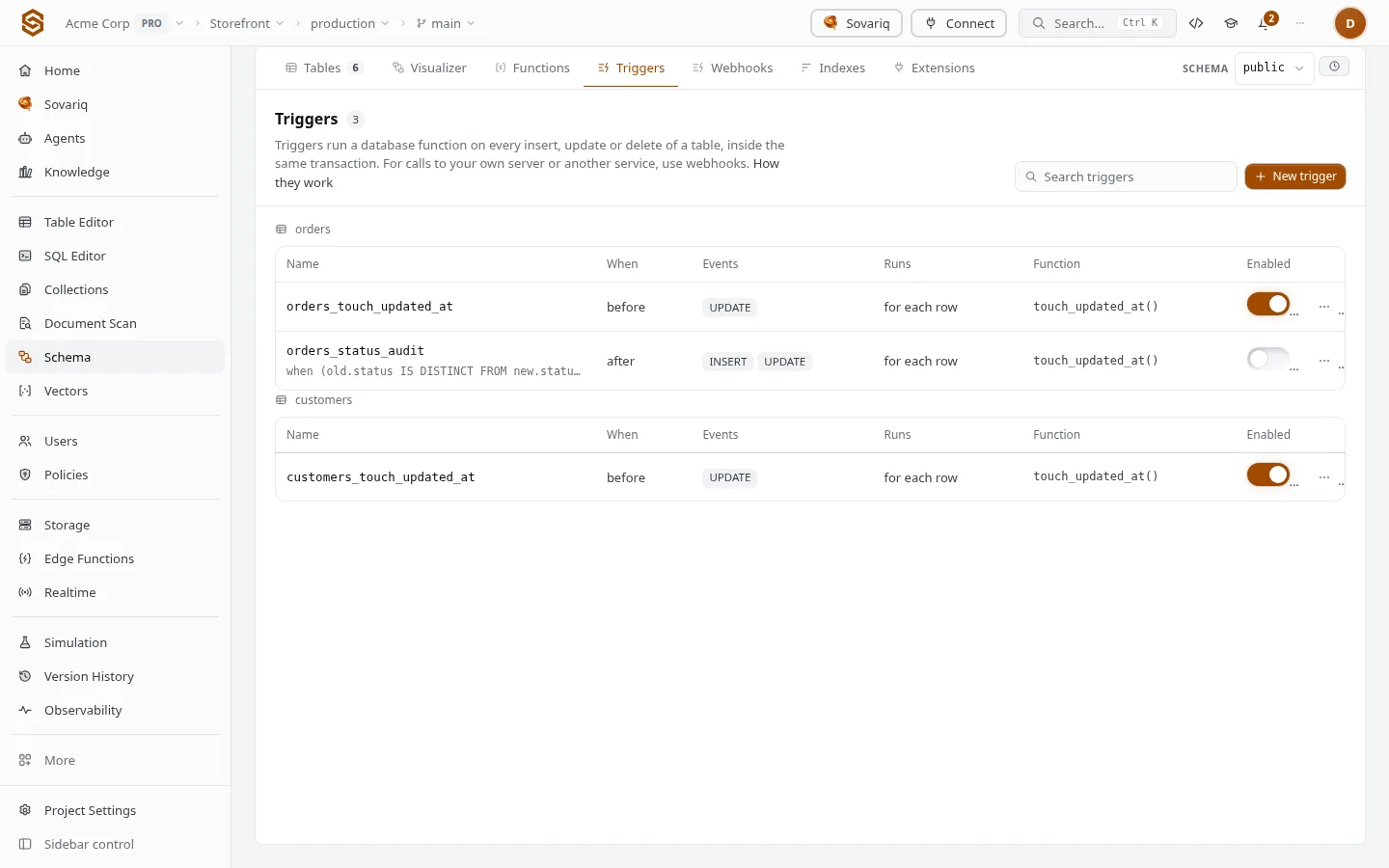
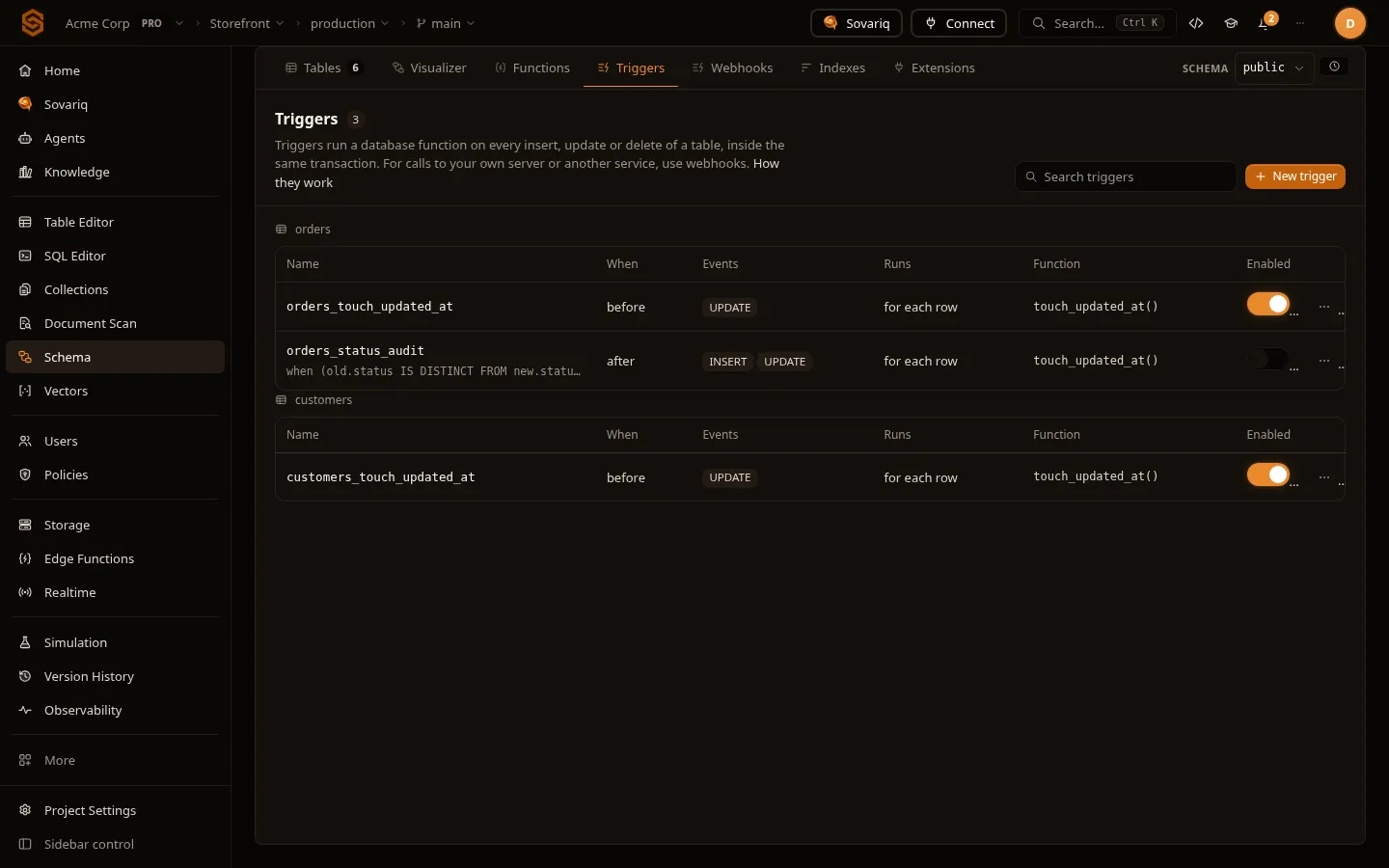
Schema › Triggers groups triggers by table. Each row shows when it runs (before or after), the events, whether it runs per row or per statement, the function it calls and its condition. The switch turns a trigger off or on without deleting it. Click a trigger for its full definition; the function name opens it under Functions.
Create a trigger
Write the trigger function
Under Schema › Functions, create a function that returns
trigger(language PL/pgSQL). The form fills in a template.New trigger
Under Schema › Triggers, click New trigger and fill in the fields below. Only functions that return
triggerare offered.Check, then create
Check runs it in a rolled-back transaction; Create trigger applies it as a recorded migration you can undo from Version history: see, undo and restore changes.
| Field | Choices |
|---|---|
| Name | Unique per table. Triggers on the same table and timing run in alphabetical order of name. |
| Table | A table in the selected schema. |
| Events | insert, update, delete, truncate — one or more. |
| Timing | Before the change: can change the row or skip it. After the change: sees the final row; use it to write to other tables. |
| Runs | For each row (has NEW and OLD) or Once per statement (one call for a statement that changes many rows; required for truncate). |
| Function | The trigger function to run. |
| Only when | An optional condition on NEW and OLD, for row triggers, e.g. OLD.status IS DISTINCT FROM NEW.status. The function isn't called when it is false, which is cheaper than checking inside. |
Examples
create or replace function touch_updated_at()
returns trigger
language plpgsql
as $
begin
  new.updated_at := now();
  return new;
end;
$;

create trigger orders_touch_updated_at
before update on orders
for each row execute function touch_updated_at();NEW, OLD and what to return
| Event | NEW | OLD |
|---|---|---|
insert | The row being inserted | — |
update | The row after the update | The row before it |
delete | — | The row being deleted |
| Statement triggers | — | — |
- A before row trigger returns the row to write: return
NEW(changed or not) to go ahead, orNULLto skip this row silently. Fordelete, returnOLDto go ahead. - An after trigger's return value is ignored; return
NULL. - Raising an exception refuses the whole statement, and the caller gets your message and error code.
TG_OP(INSERT,UPDATE,DELETE,TRUNCATE),TG_TABLE_NAMEandTG_TABLE_SCHEMAlet one function serve several tables or events.
Turn a trigger off
The switch on each row runs alter table … disable trigger … (or enable) as a recorded migration, so turning it back on is one click or an undo in Version History. Turn a trigger off for a bulk import or a backfill, then on again. Deleting a trigger keeps its definition in the undo, including whether it was off.
Good practice
- Keep trigger functions short: they run once per changed row, inside the caller's transaction, and the statement timeout covers them.
- Don't call slow or external things from a trigger. Use a webhook or a function trigger, which run after commit and retry.
- A trigger that writes to another table can fire that table's triggers. Guard against loops with a condition, or
pg_trigger_depth() < 2. - Trigger functions run as the caller unless they are security definer, so the caller needs access to every table they write (Database functions).
- Sovaria's own triggers for table history (Table history (time travel)) and automatic embeddings aren't listed and don't count against your limit; turn those features off in their settings instead.
Limits
| Free | Pro | Ultra | Team | Enterprise | |
|---|---|---|---|---|---|
| Triggers | 20 | 500 | 2,000 | 10,000 | 50,000 |
Errors
| Error | Fix |
|---|---|
function … must return type trigger | Create the function with returns trigger, without arguments. |
record "new" is not assigned yet | NEW doesn't exist for delete or statement triggers; use OLD, or check TG_OP first. |
stack depth limit exceeded | Two triggers keep firing each other. Add a when condition or check pg_trigger_depth(). |
trigger … for relation … already exists | Names are unique per table; pick another or delete the old one. |
Your own message, e.g. P0001 paid orders can't be changed | The trigger refused the change on purpose; the whole statement was rolled back. |
Coming from Firebase or Supabase?
| Platform | What this is called there |
|---|---|
| Firebase | Cloud Functions Firestore triggers |
| Supabase | Supabase Postgres Triggers |
| Sovaria | Triggers |
Moving an existing app? Migrate from Supabase or Firebase imports users (with their passwords), data, files and rules.